Quotebuilder/Salesbuilder business Flow |
||
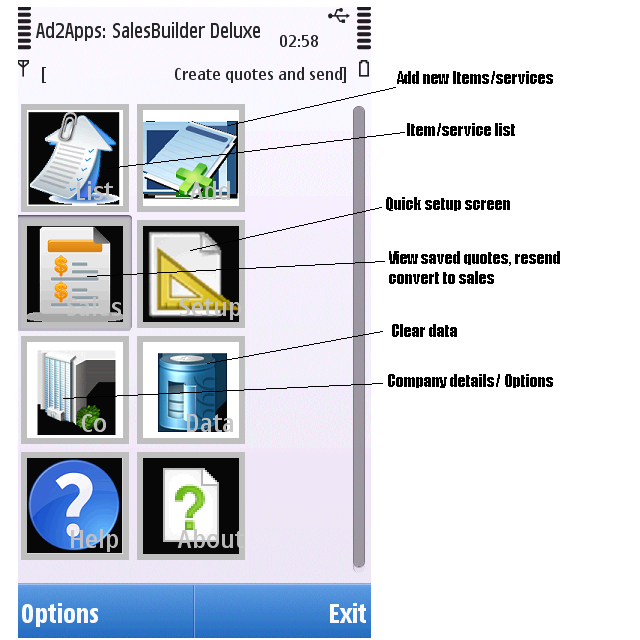 QuoteBuilder/Salesbuilder can help you build your business bsending
quotations of your business services or items you sell, by sending them to customers as SMS messages. What is? Quotebuilder is the basic version and doesn't use buttons Salesbuilder has touch buttons and more functionality. Company Details:- Add Name address, Tel No details (address not compulsory) This will come through onto the sms Tax - VAT in Uk, sales tax in other places. Items:- Add items or services Cost can be 0 and can be used for sub contracts Quantity or Billing time cannot be 0, one of which must be entered. Time can be full hours or half hours and are created as seperate items - this enables you to have different sales prices. Qty can be defined in the same way. When the order is calculated the half times or quantities are treated as 1. eg: Testservice 1 hr Price 100 Testservice2 1 half hr Price 55 Items can be deleted or updated via the options menu. Once you have entered your items they can be viewed in the item list by clicking an item, this will add them to the order you can then change the quantity/time or delete from the quote. You can also clear the quote in the order/quote screen and start again. Once you are happy press confirm from the order list You can then enter the customers Tel No and some extra text and send them your quotation. DB Maintain:- Use this option with caution! as these are to delete your business details or all your items. New functionality:- 1. Quick setup screen 2. Payment terms and quote save added to comapny options 3. Sales/quotes view - convert quotes to sales and resend option added. 
|
||
